Finds every link in a message, cleans them, and leaves the rest of
the text alone.
sending this later:
https://youtu.be/lSwnPoo9ZK0?si=ETK0...
Shortened links
TikTok and SoundCloud short links are recognised automatically. On
the website, only those links are opened by the hosted server; the
rest of your message stays in your browser.
vm.tiktok.com/...→tiktok.com/@user/video/...
In the apps
Choose how short links are opened:
LocalOpen links from your own connection.
Hosted serverOpen links through the project server.
HTTP / SOCKS5 proxyRoute short-link checks through a proxy
You can also run your own server for unrolling short links.
How it works
DESKTOP
Runs in the background
Automatic cleaning, a tray menu, and settings in one background
app.
Automatic cleaning
Links are cleaned as soon as you copy them. Nothing needs to
be pasted.
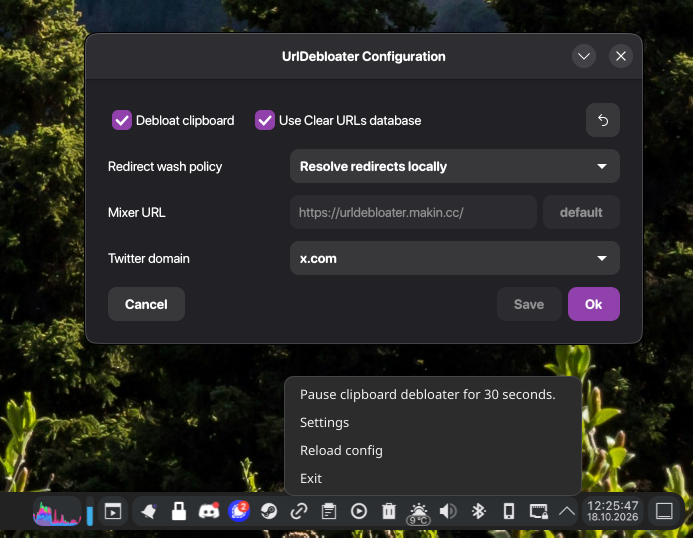
Tray icon
Clean the clipboard now, pause automatic cleaning, or open
settings.
Settings
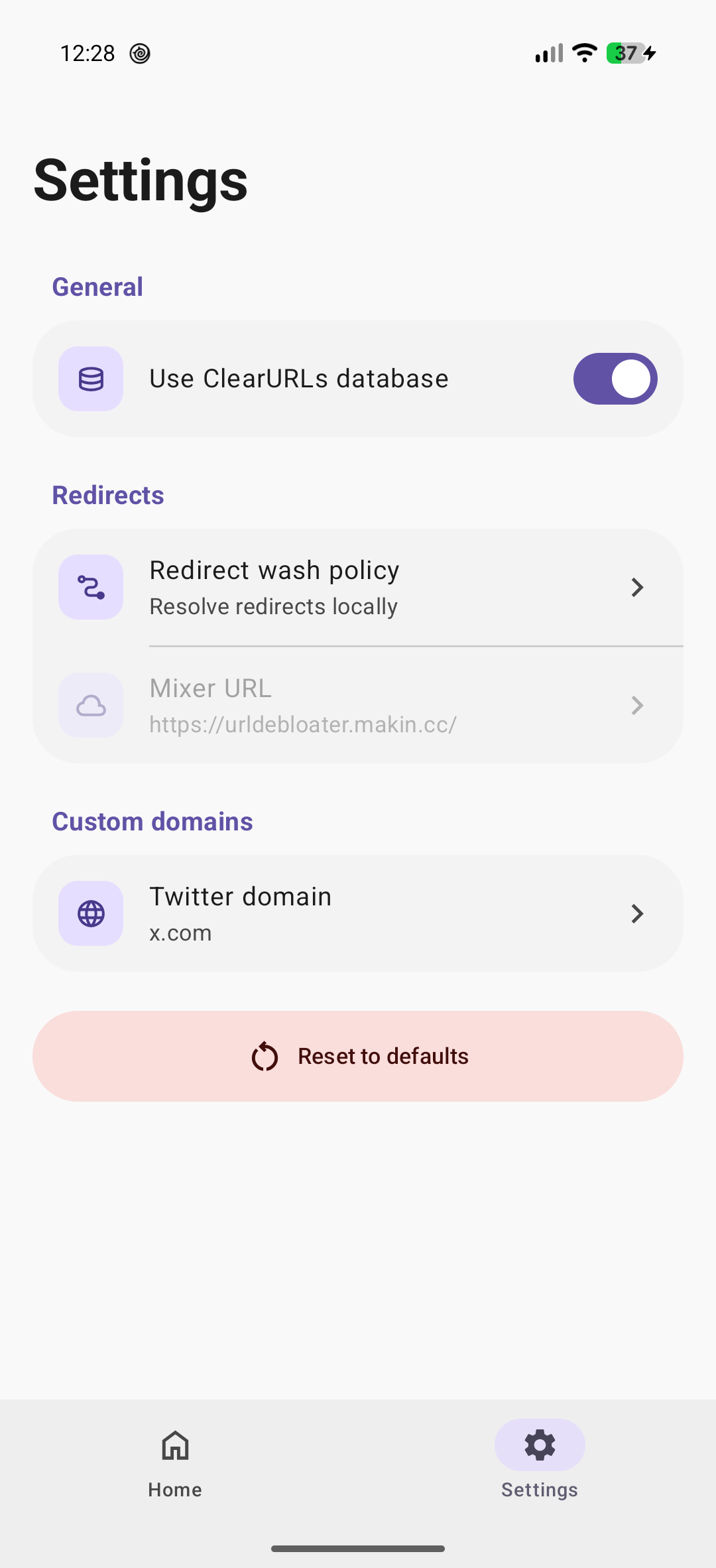
Choose how shortened links are opened.
ANDROID
Clean without opening the app
Use the same cleaner from shortcuts on your phone.
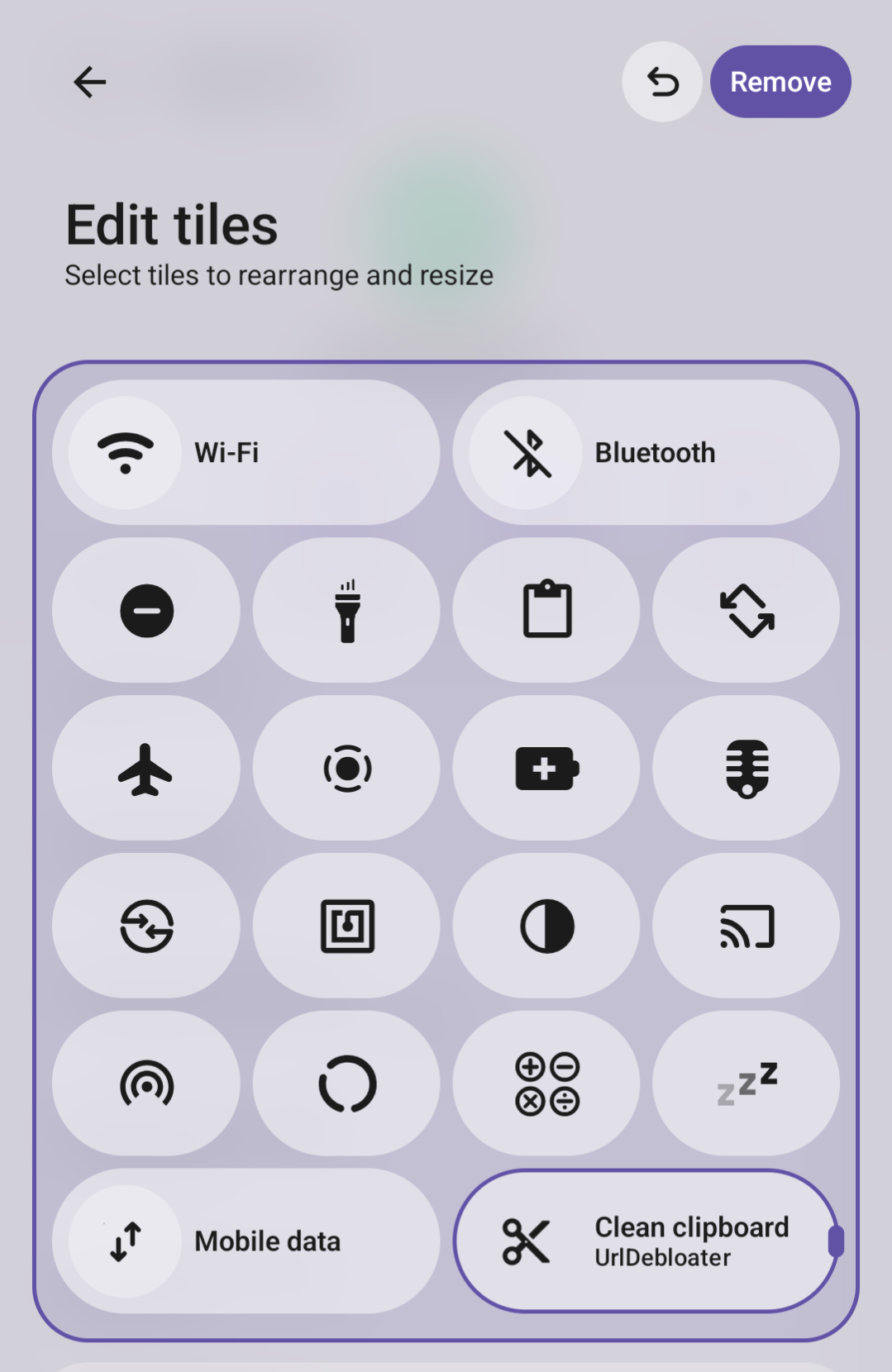
Quick Settings tile
Clean the clipboard from the Quick Settings panel.
Home screen shortcut
Add a shortcut that cleans the clipboard with one tap.
Context menu
Send selected text or a link to UrlDebloater from another app.
Screenshots
Android Quick SettingsClean the clipboard from the tile.
Android settingsChoose how shortened links are opened.
Linux desktopAutomatic cleaning and tray controls.